
AiNotes — Note con IA che rispondono alle tue domande · Chiedi alle tue note e ti rispondono
 IA
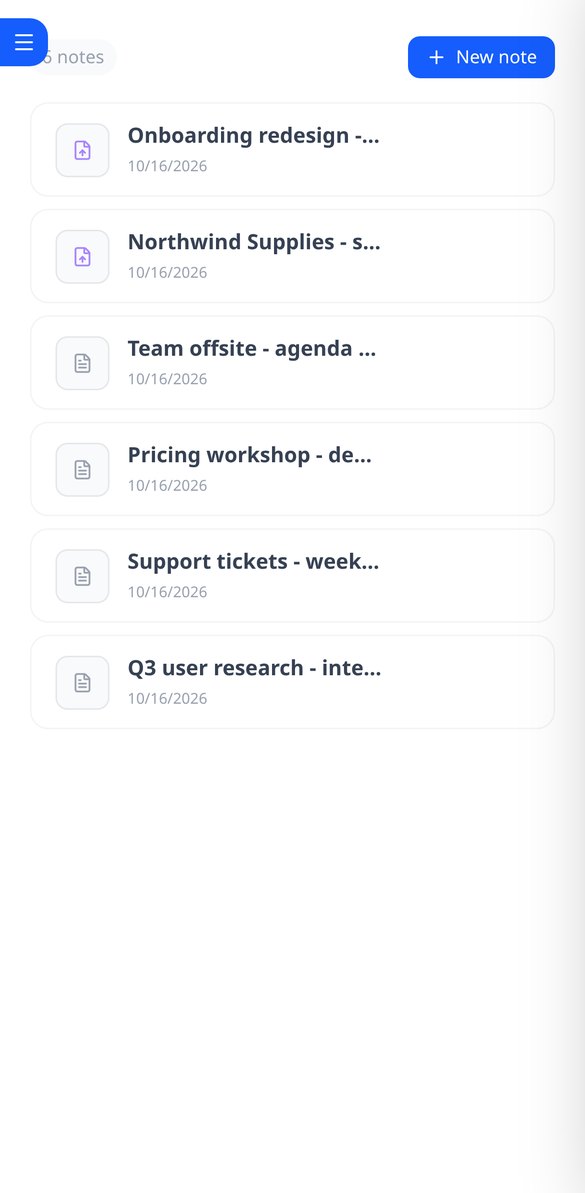
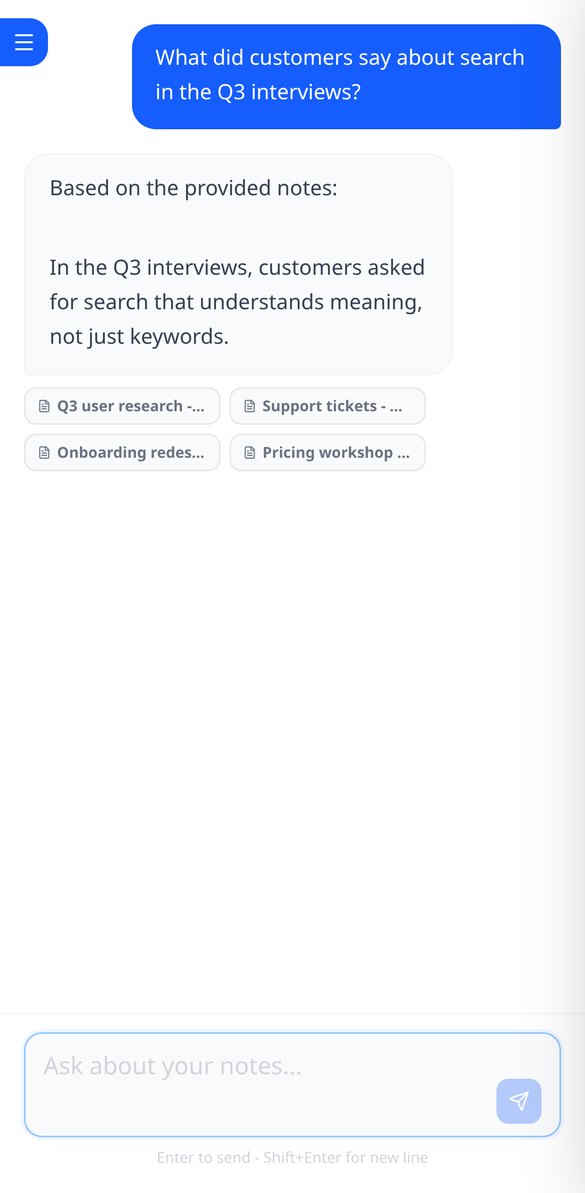
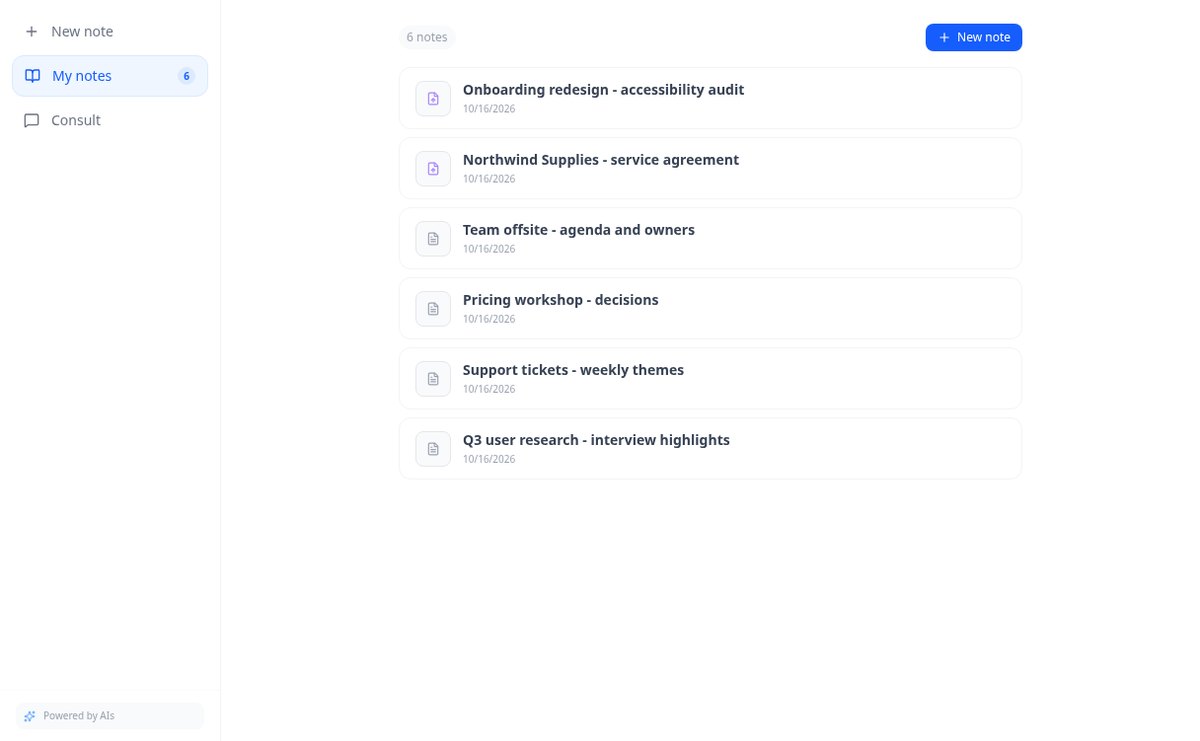
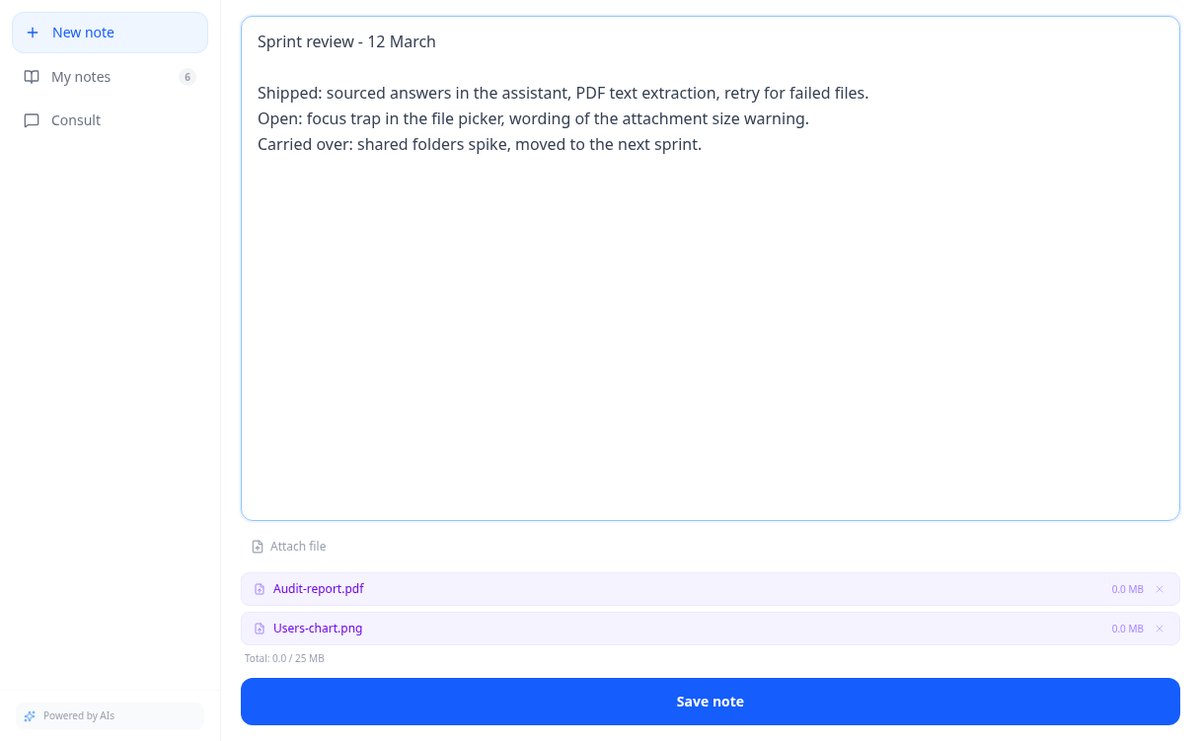
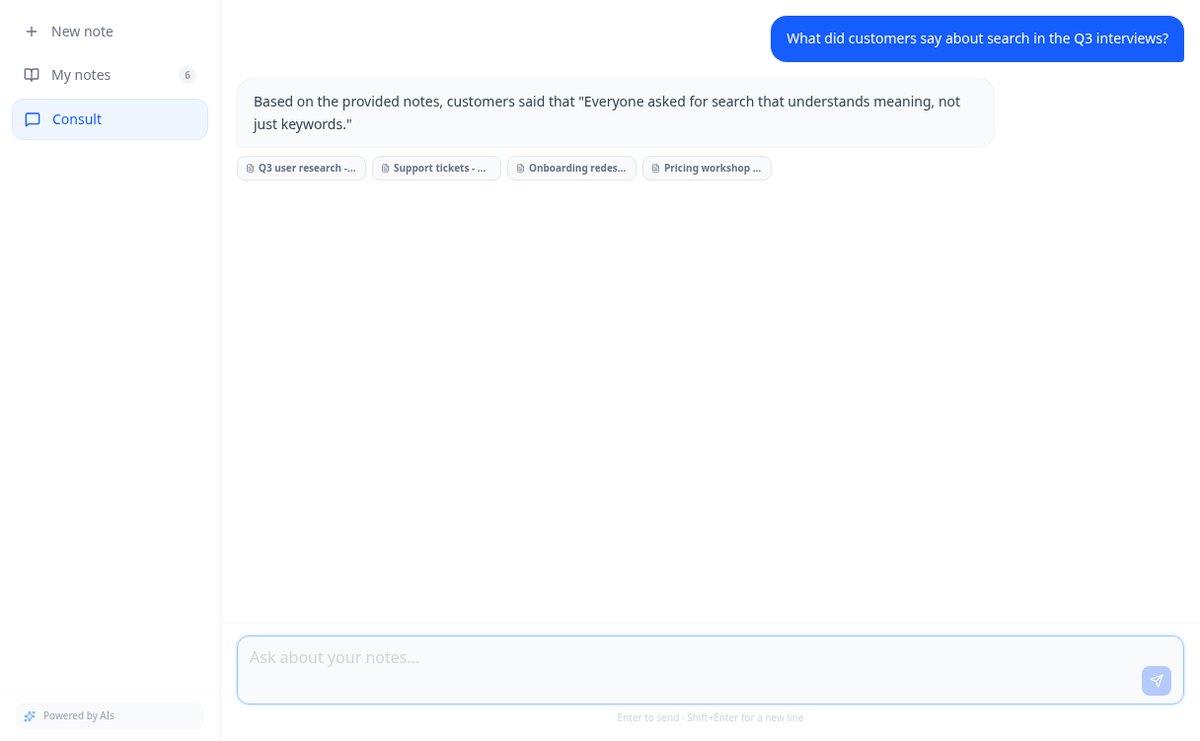
Salva appunti e allega PDF e immagini nella stessa nota. AiNotes legge tutto e ti risponde via chat indicando da quale nota proviene ogni risposta.
Nelle funzioni che usano l'IA, le risposte sono generate da un'intelligenza artificiale e non sostituiscono il parere di un professionista.
Why do you die two turns after the move that looked like the best one?
Because the move that clears the most lines now can leave you with a board where the 3×3 square or the five-line no longer fits. Intuition sees the lines that complete now; it doesn’t see the board that’s left. This tool doesn’t guess: it goes through every legal way to place your three pieces and chooses the one that leaves the board most alive, measuring how many of the 33 pieces in the catalog still fit, the one-cell gaps you create, the largest free square you keep, and the rows and columns you leave at 7 out of 8. In a benchmark of 500 simulated games from November 2, 2026, that calculation lasted a median of 40 turns, compared with 20 for the player who only looks at the turn’s lines and 3 for the one who places at random.
Inizia gratis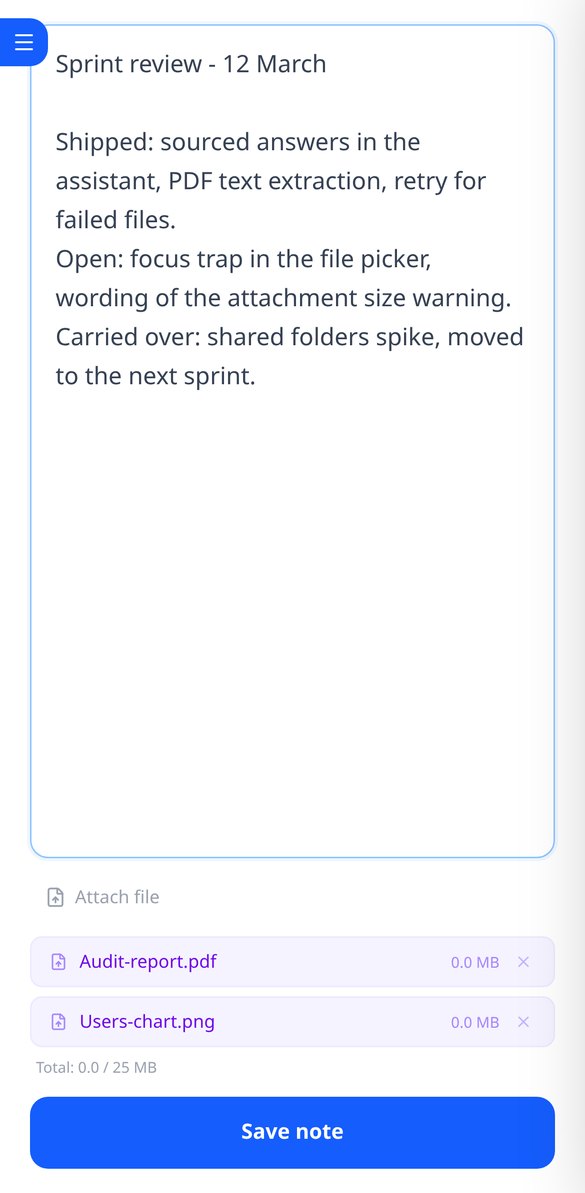
Scopri ogni funzionalità nel dettaglio

Blocco note online per scrivere e modificare testo libero | AiNotes
Scrivi note di testo libero senza modelli e modificale quando vuoi: AiNotes salva il contenuto, genera automaticamente il titolo e aggiorna l'indice durante la correzione. Gratis.
Vedi la funzione
Note con PDF e immagini allegati, fino a 25 MB per nota | AiNotes
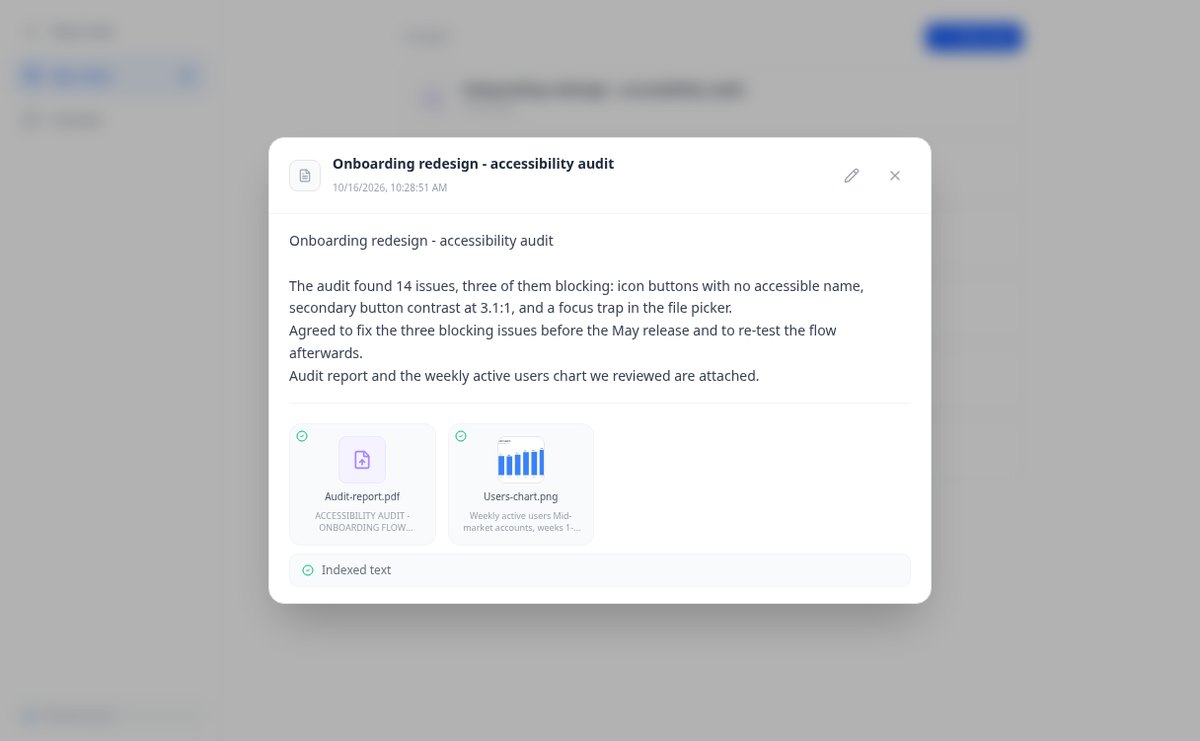
Allega più PDF, PNG, JPG, WebP o GIF a ogni nota —fino a 25 MB— trascinandoli nell'editor e consulta poi il loro contenuto tramite chat. Gratis su AIsToHire.
Vedi la funzione
Appunti che si indicizzano da soli con embedding di Gemini | AiNotes
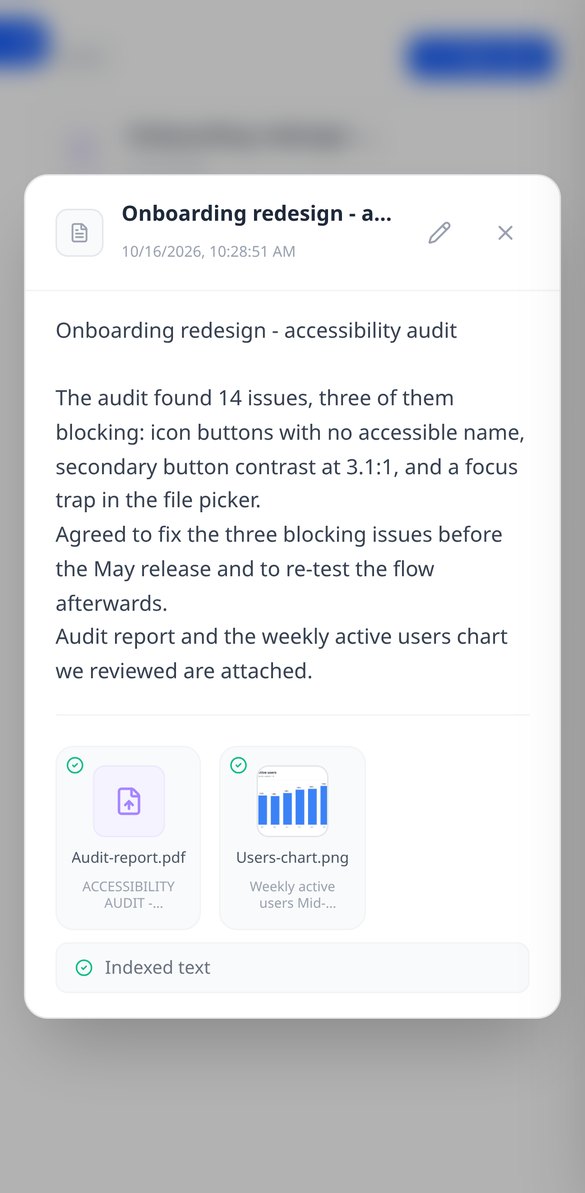
AiNotes suddivide ogni appunto e ogni allegato e li trasforma in vettori con gemini-embedding-001 al momento del salvataggio, per cercare per significato e chiedere al chat. Gratis su AIsToHire.
Vedi la funzione
Chat che risponde con i tuoi appunti e cita la fonte | AiNotes
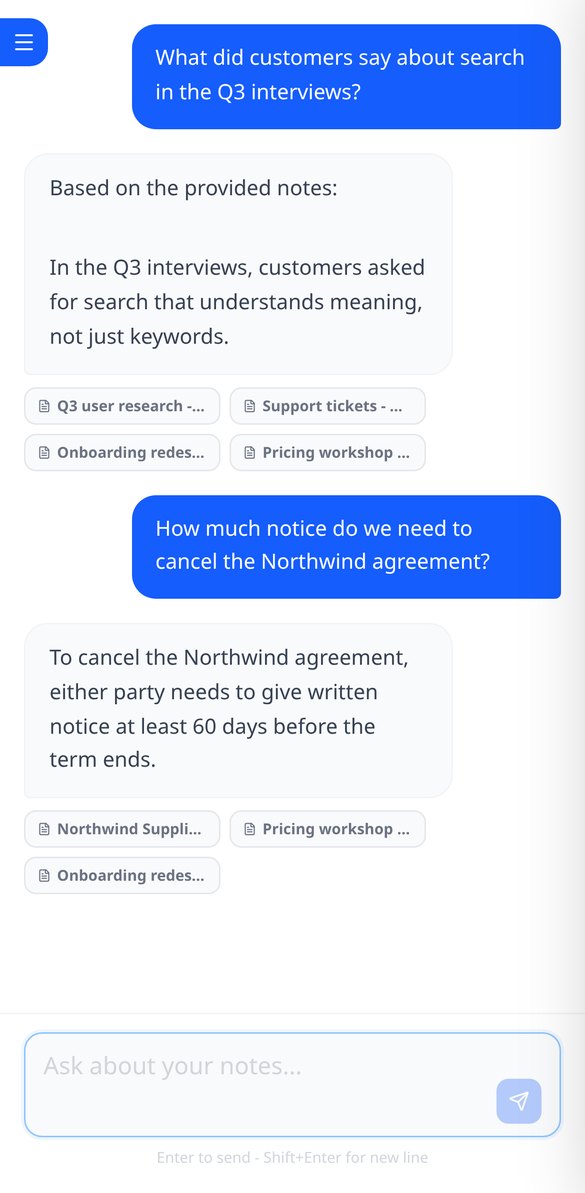
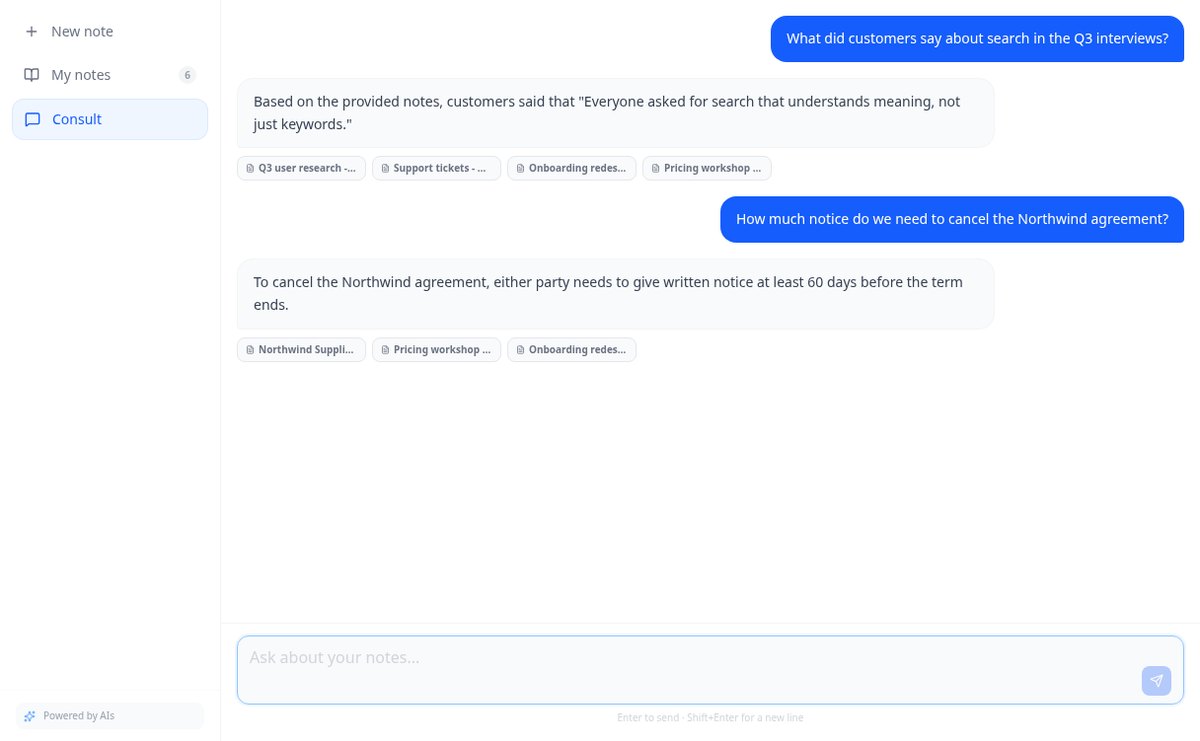
Chiedi ai tuoi appunti e PDF: AiNotes cerca i 5 frammenti più rilevanti, risponde solo con essi e mostra il titolo di ogni nota utilizzata. Gratis su AIsToHire.
Vedi la funzioneNote che capiscono quello che salvi
Three things that don’t usually go together: a calculation you can check, the explanation of why, and zero cost and zero sign-up to use it.
Appunti e documenti nella stessa nota
Scrivi la nota e allega PDF o immagini (PNG, JPG, WebP e GIF) trascinandoli, fino a 25 MB per nota. Tutto resta insieme, con anteprima e download.
L'IA legge ogni nota e ogni file
Al salvataggio, AiNotes suddivide e indicizza automaticamente il contenuto. Vedi lo stato di ogni elemento (in elaborazione, pronto o con errore) e puoi ritentare quello che fallisce.
Chat che risponde citando le tue note
Chiedi con parole tue e l'assistente risponde usando solo il tuo contenuto, mostrando le note da cui ha tratto le informazioni. Se non è nelle tue note, te lo dice.
Inizia in tre passi
Paint your board
Drag your finger across the 8×8 grid to mark occupied cells: a whole row in one gesture. Undo and clear are always at hand, and the board is shared between the solver and the diagnosis so you only paint it once.
Choose your three pieces
You choose them by tapping the catalog palette, with each orientation as a separate piece because in Block Blast! pieces don’t rotate. Nothing to draw, nothing to type.
Get the move and the why
The full sequence, the lines you clear, the estimated points, the health of the resulting board, and the second-best option with its difference. On your phone, right away, with no sign-up and no usage limit.
Domande frequenti
Ultimi articoli del blog
Guide e novità per sfruttarlo al meglio
È legale che un bot IA registri e trascriva le tue riunioni? Cosa è cambiato nel 2026
Cause contro Otter.ai, la posizione dell'AEPD di gennaio 2026 e una checklist per trascrivere riunioni con IA senza violare il GDPR.
Cerca un dato nei tuoi PDF e appunti: perché Ctrl+F ti delude e cosa funziona davvero
Ctrl+F non trova nulla in un PDF scansionato perché all'interno c'è un'immagine, non testo. Ti spieghiamo perché e come interrogare i tuoi stessi appunti e PDF.
Inizia a chiedere alle tue note
Mark the board, choose your three pieces, and stop losing to a move that looked good.