
AiNotes — KI-Notizen, die deine Fragen beantworten · Frage deine Notizen und sie antworten dir
 KI
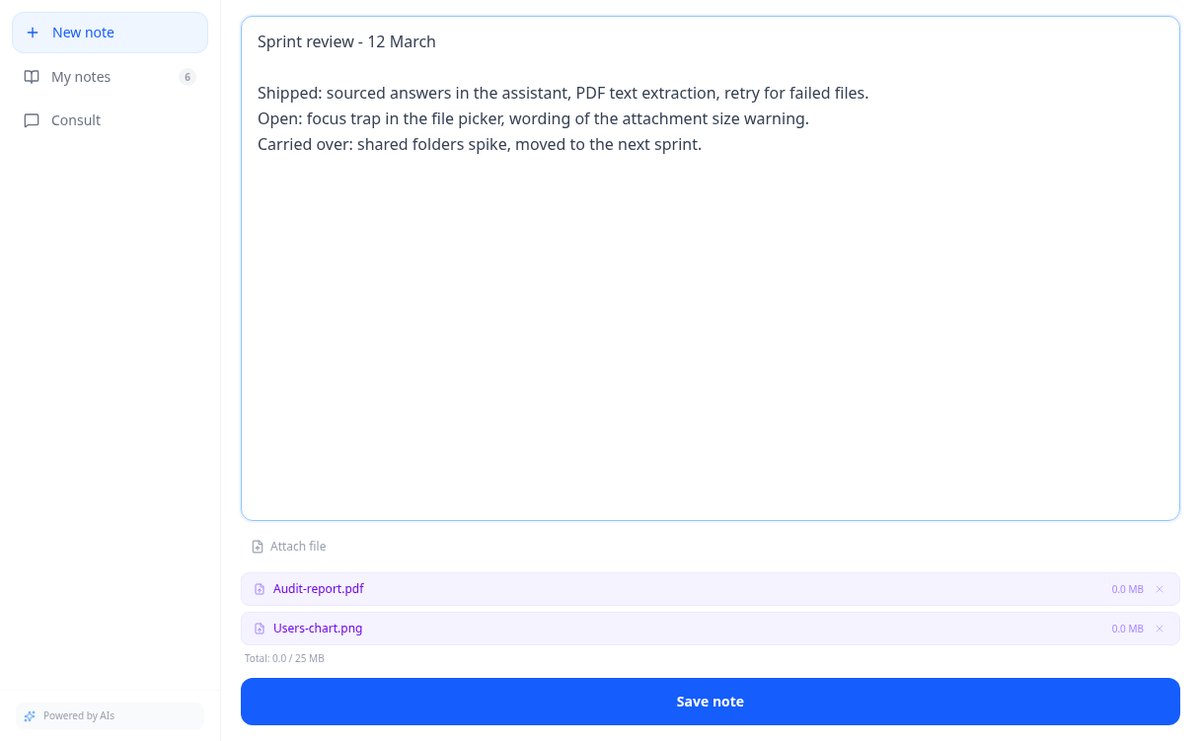
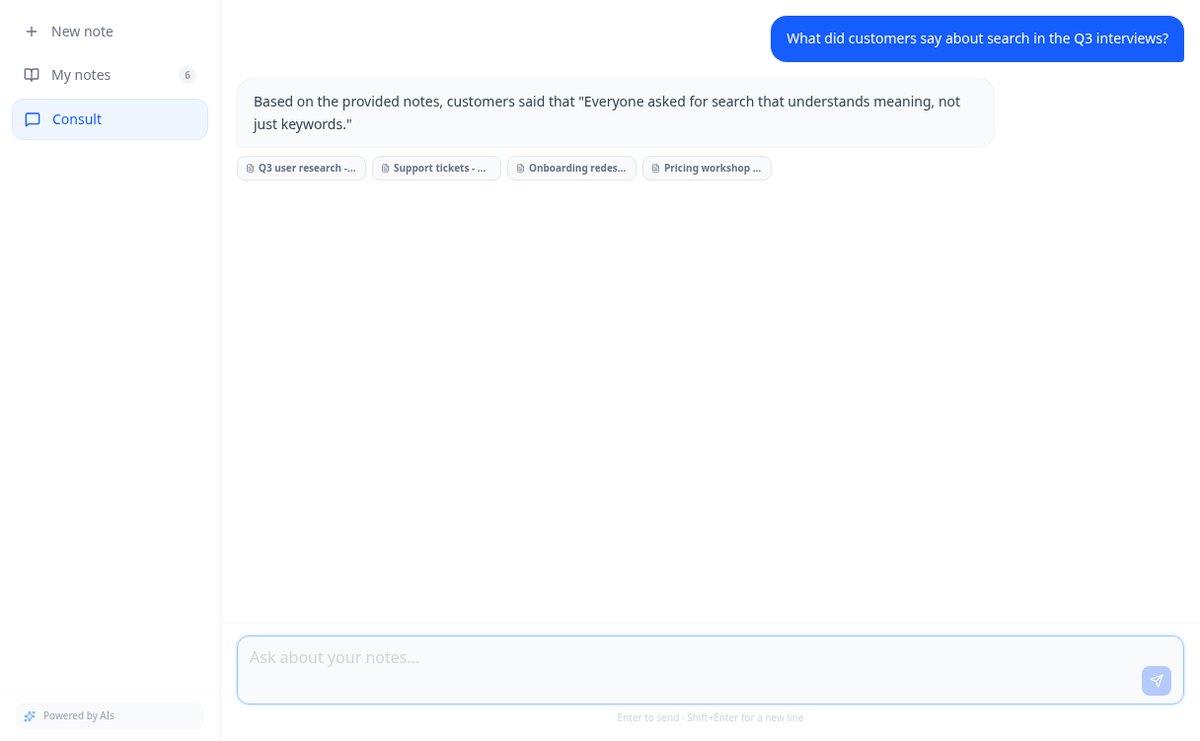
Speichere Notizen und füge PDFs und Bilder in derselben Notiz hinzu. AiNotes liest alles und antwortet dir per Chat und gibt an, aus welcher Notiz jede Antwort stammt.
In den Funktionen mit KI werden die Antworten von einer künstlichen Intelligenz erzeugt und ersetzen keine professionelle Beratung.
Carichi un banner che sul computer sembra perfetto e sul cellulare esce tagliato e con la foto profilo che copre ciò che conta?
Succede perché il banner non viene ritagliato allo stesso modo su mobile e desktop e per di più la foto profilo copre un angolo diverso in ciascuno: la zona davvero visibile è una fascia stretta che nessuno ti dice dov'è. Questa app la disegna e te la mostra simulata nei due ritagli, con il cerchio della foto nella sua posizione reale, PRIMA di generare qualsiasi cosa. E lo stesso vale per il resto: l'headline e l'«About» vengono contati in grafemi reali rispetto al limite e con la linea del «vedi altro» segnata dove taglia davvero; il carousel esce come PDF vero, che è il formato che la piattaforma mostra; e il post include due hook alternativi per l'unica cosa che si legge prima di espandere. Le etichette di ogni immagine le scrive il server, mai il modello di immagine, così non esce un banner con lettere deformate.
Kostenlos starten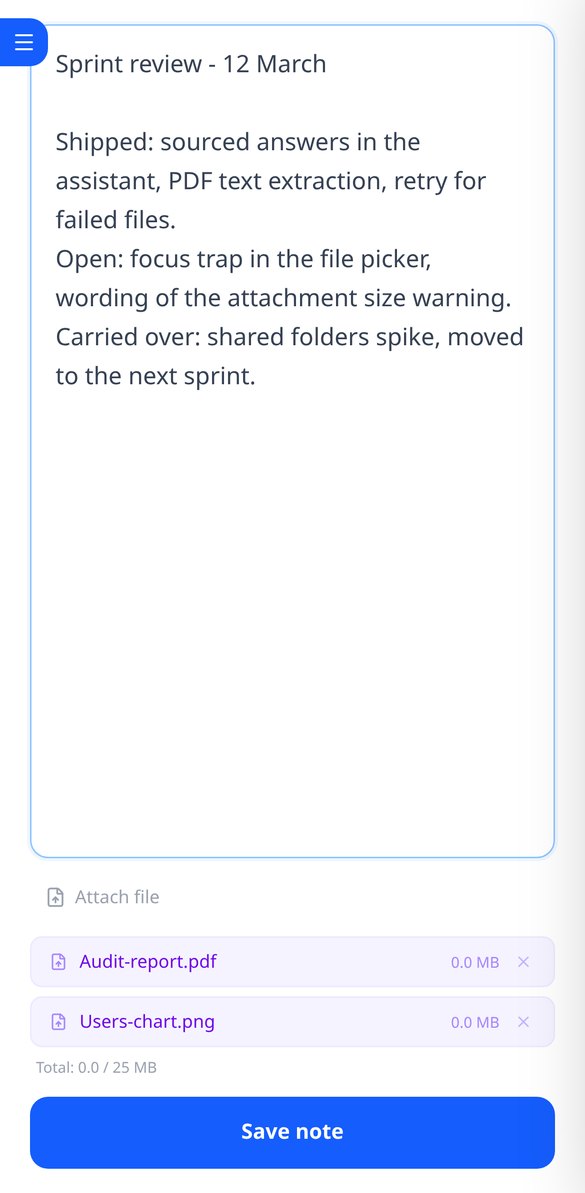
Entdecke jede Funktion im Detail
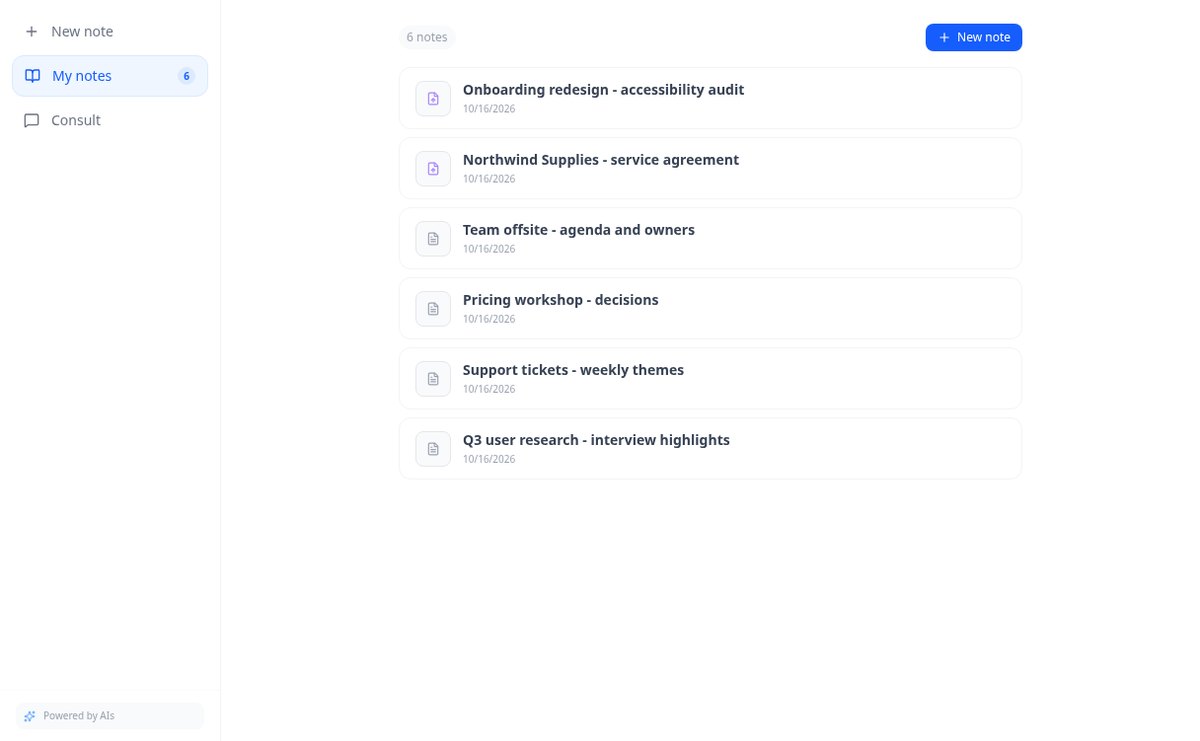
Online-Notizbuch zum Schreiben und Bearbeiten von freiem Text | AiNotes
Schreibe freie Textnotizen ohne Vorlagen und bearbeite sie wann du willst: AiNotes speichert den Inhalt, generiert den Titel automatisch und aktualisiert das Inhaltsverzeichnis beim Korrigieren. Kostenlos.
Funktion ansehen
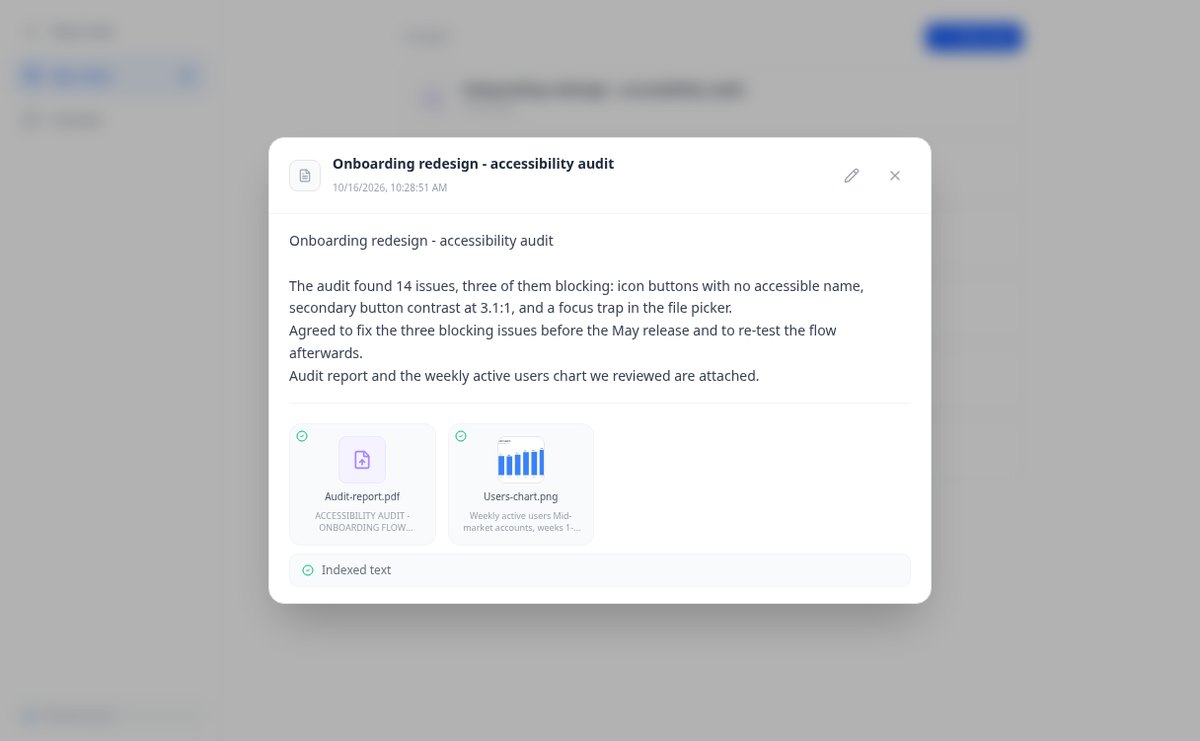
Notizen mit angehängten PDFs und Bildern, bis zu 25 MB pro Notiz | AiNotes
Füge mehrere PDFs, PNG, JPG, WebP oder GIF zu jeder Notiz hinzu —bis zu 25 MB— indem du sie in den Editor ziehst, und frage danach ihren Inhalt per Chat ab. Kostenlos bei AIsToHire.
Funktion ansehen
Notizen, die sich automatisch mit Gemini-Embeddings indexieren | AiNotes
AiNotes zerlegt jede Notiz und jeden Anhang und wandelt sie beim Speichern in Vektoren mit gemini-embedding-001 um, um nach Bedeutung zu suchen und im Chat zu fragen. Kostenlos bei AIsToHire.
Funktion ansehen
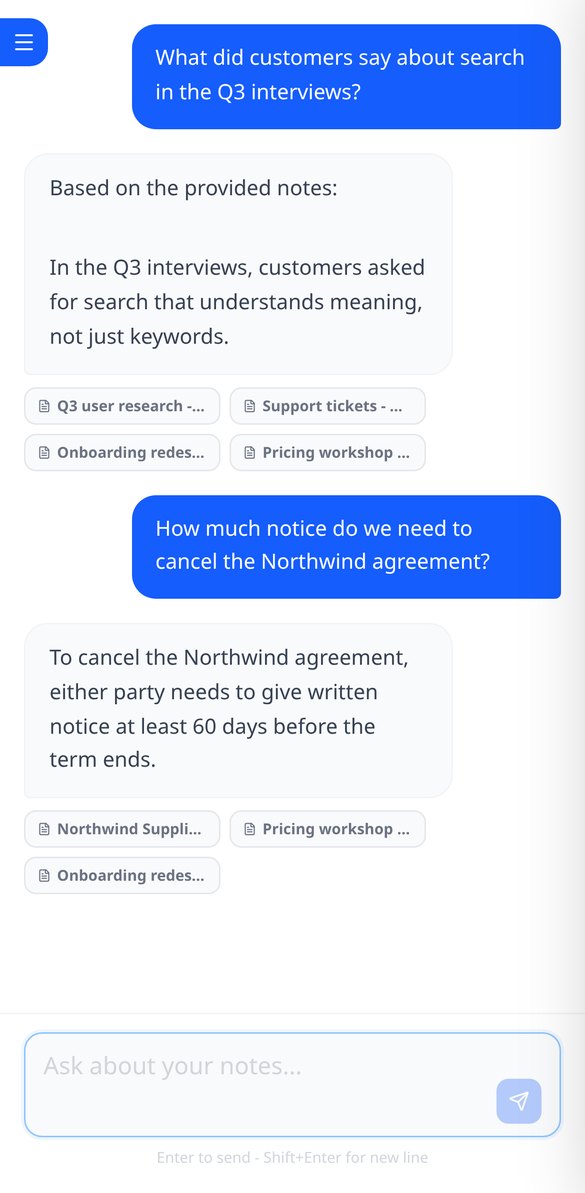
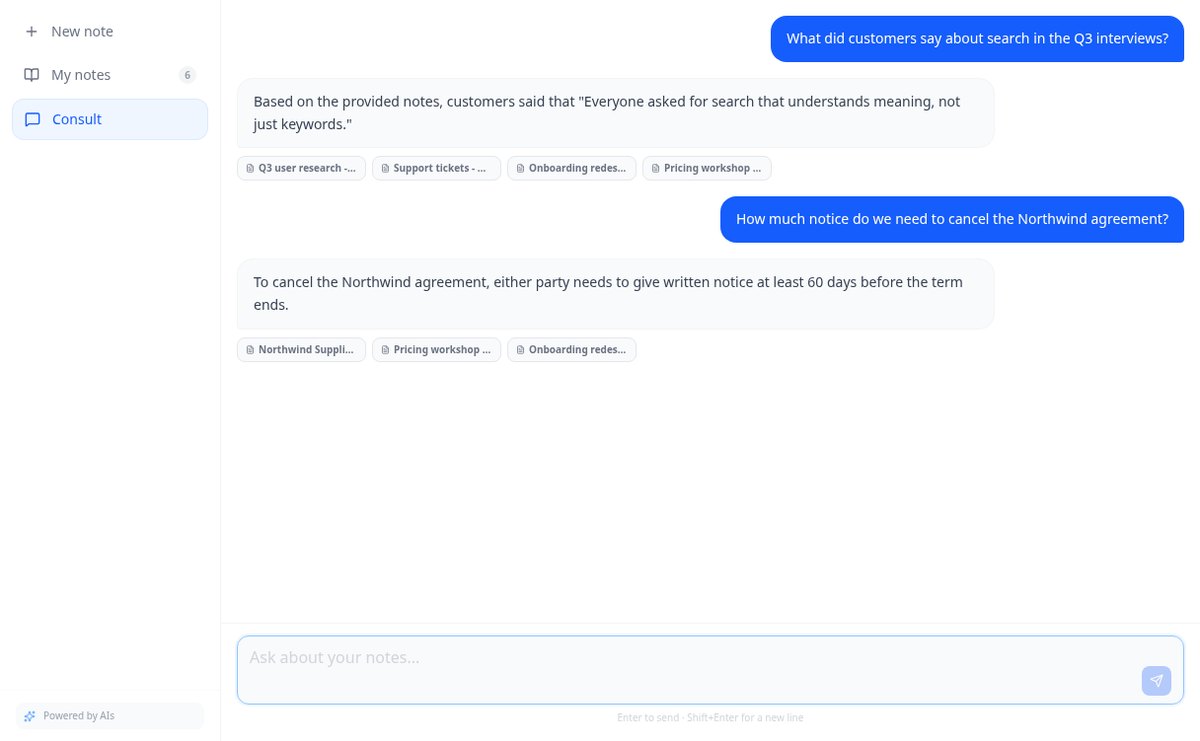
Chat, der mit deinen Notizen antwortet und die Quelle zitiert | AiNotes
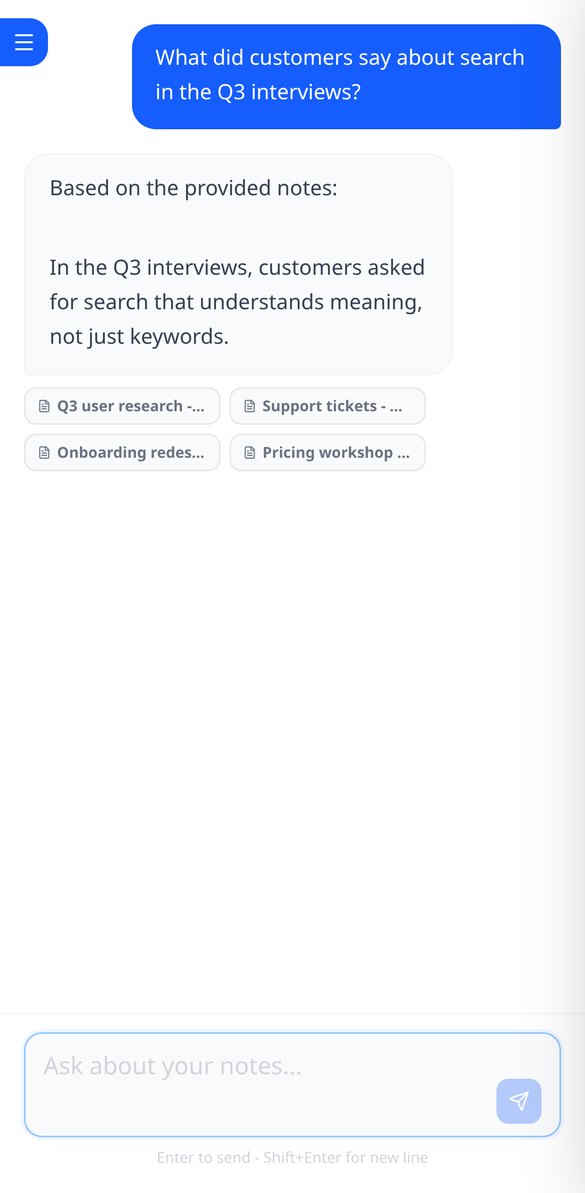
Frage deine Notizen und PDFs: AiNotes sucht die 5 relevantesten Fragmente, antwortet nur mit diesen und zeigt den Titel jeder verwendeten Notiz an. Kostenlos bei AIsToHire.
Funktion ansehenNotizen, die verstehen, was du speicherst
Il testo di ogni elemento grafico lo compone il server e il contrasto viene misurato sul canvas già finito. Ciò che è deterministico —simulare, contare, validare, ricomporre e impaginare— è istantaneo, non consuma IA e buona parte funziona senza account.
Notizen und Dokumente in derselben Notiz
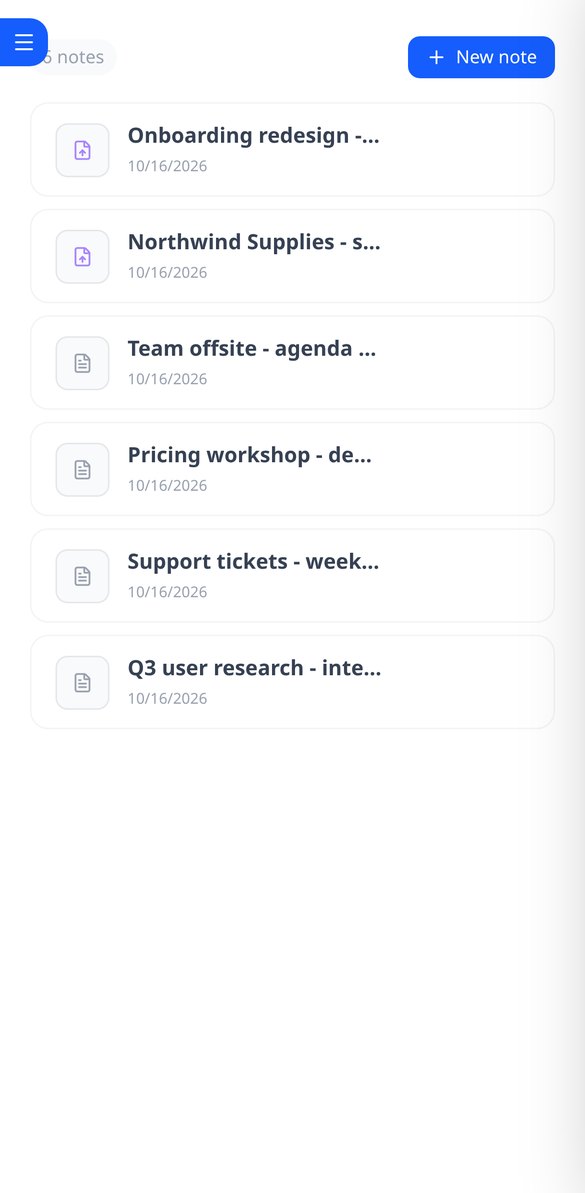
Schreibe die Notiz und füge PDFs oder Bilder (PNG, JPG, WebP und GIF) per Drag & Drop hinzu, bis zu 25 MB pro Notiz. Alles bleibt zusammen, mit Vorschau und Download.
Die KI liest jede Notiz und jede Datei
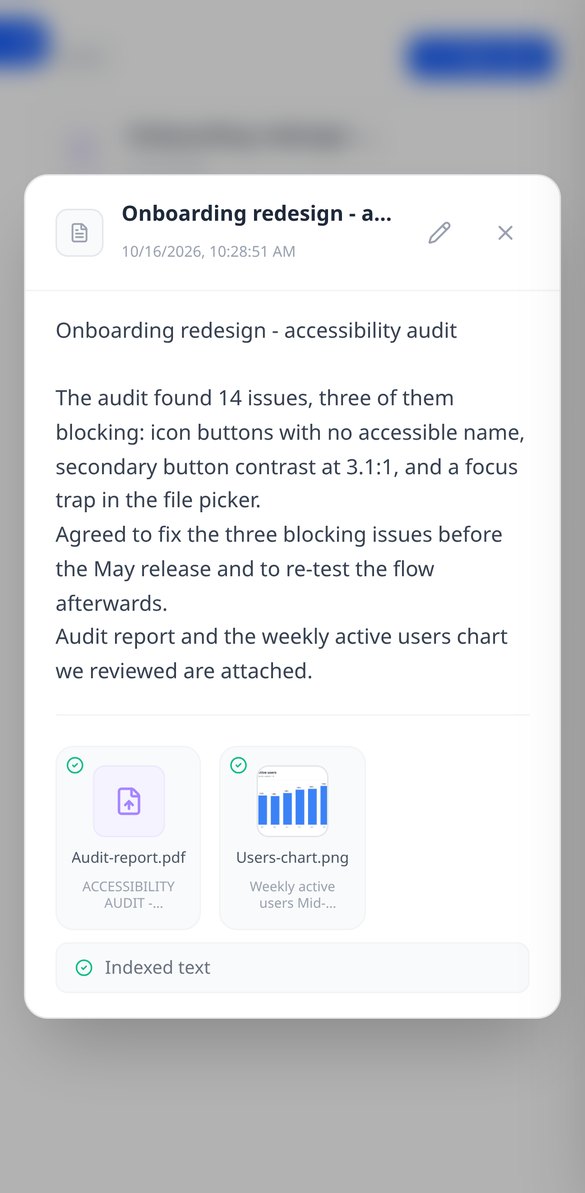
Beim Speichern zerlegt und indexiert AiNotes den Inhalt automatisch. Du siehst den Status jedes Elements (wird verarbeitet, bereit oder fehlerhaft) und kannst das fehlerhafte erneut versuchen.
Chat, der unter Angabe deiner Notizen antwortet
Frage mit deinen eigenen Worten und der Assistent antwortet nur mit deinem Inhalt und zeigt die Notizen an, aus denen er die Informationen entnommen hat. Wenn es nicht in deinen Notizen steht, sagt er es dir.
Starte in drei Schritten
Entra e prova senza registrarti
Si apre nel browser. Il contatore, le formule, il validatore, la doppia simulazione del banner e gli sfondi composti dal server funzionano come ospite, senza creare un account.
Guarda il contenuto prima di generarlo
Nel banner vedi i due ritagli con la zona sicura e la foto profilo sopra; nell'headline e nell'«About», il contatore e la linea del «vedi altro». È lì che si corregge, prima di spendere.
Scarica e incolla a mano
Il PNG del banner e il PDF del carousel si scaricano (e sul cellulare si condividono con il foglio nativo). Il testo si copia. L'app non entra nel tuo account né pubblica per te.
Häufig gestellte Fragen
Neueste Blogartikel
Anleitungen und Neuigkeiten, um mehr daraus zu machen
Ist es legal, dass ein KI-Bot deine Meetings aufnimmt und transkribiert? Was sich 2026 geändert hat
Klagen gegen Otter.ai, die Position der AEPD im Januar 2026 und eine Checkliste zur Transkription von Meetings mit KI, ohne die DSGVO zu verletzen.
Suche nach Daten in deinen PDFs und Notizen: warum Ctrl+F versagt und was wirklich funktioniert
Ctrl+F findet nichts in einem gescannten PDF, weil sich darin ein Bild und kein Text befindet. Wir erklären dir, warum das so ist und wie du deine eigenen Notizen und PDFs abfragen kannst.
Fang an, deine Notizen zu fragen
Simula i due ritagli, conta davvero i caratteri e scarica il contenuto. Nessuna registrazione per iniziare.